Endeca 11.2 Preview : Missing deployment settings
Behaviour :-
Following Exception/Error comes in Endeca tools and framework IFCR log during preview page in 11.2 Endeca Experience manager using preview functionality.
Root Cause:-
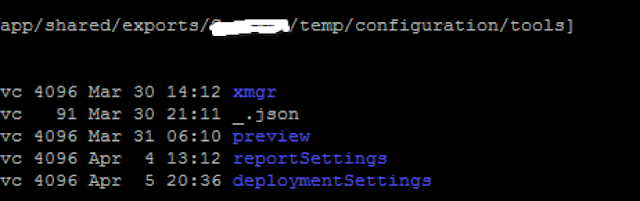
The root cause of missing deployment setting is Endeca site content migration from older version of Endeca to 11.2. Migrate site utility does not generate deploymentSettings and reportSettings folder under /configuration/tools folder of exported zip file.
Solution :-
Follow the following steps to resolve this
1. Export the tools using <<Endeca_APp>>/control/runcommand.sh IFCR exportApplication tool
2. create deploymentSettings folder under /configuration/tools folder
3. Create a file _.json file and put the following content
{
"ecr:type": "deployment-settings",
"authoringApplicationExportDirectory": "/opt/app/endeca/ToolsAndFrameworks/11.2.0/deployment_template/lib/../../server/workspace/state/generation_data"
}
4. import the tools once again.
From Author
Was this post resolve the solution you are looking for? are you looking for some other issues?Provide your comments
Following Exception/Error comes in Endeca tools and framework IFCR log during preview page in 11.2 Endeca Experience manager using preview functionality.
02.04.2017 19:46:50.750 *ERROR* [StoreDeploymentWorker] com.endeca.ifcr.deployment.StoreDeploymentWorker Store Deployment service failed for /sites/Discover/ javax.jcr.RepositoryException: javax.jcr.RepositoryException: Missing deployment settings at com.endeca.ifcr.deployment.StoreDeploymentWorker.processUpdates(StoreDeploymentWorker.java:397) at com.endeca.ifcr.deployment.StoreDeploymentWorker.collectAndProcessUpdates(StoreDeploymentWorker.java:187) at com.endeca.ifcr.deployment.StoreDeploymentWorker.run(StoreDeploymentWorker.java:148) Caused by: javax.jcr.RepositoryException: Missing deployment settings at com.endeca.ifcr.deployment.StoreDeploymentWorker.getApplicationExportPath(StoreDeploymentWorker.java:574) at com.endeca.ifcr.deployment.StoreDeploymentWorker.processUpdates(StoreDeploymentWorker.java:252) ... 2 more |
Root Cause:-
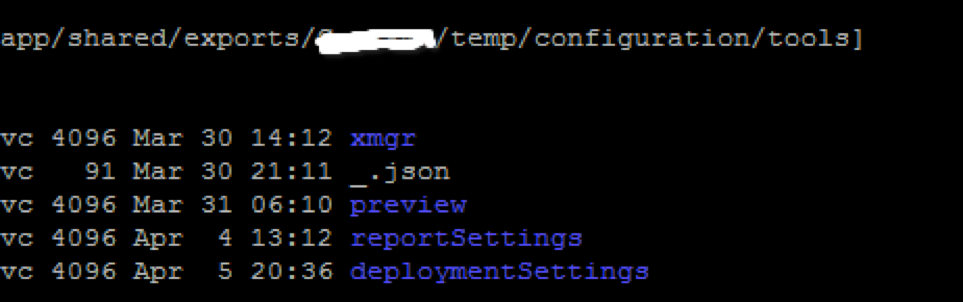
The root cause of missing deployment setting is Endeca site content migration from older version of Endeca to 11.2. Migrate site utility does not generate deploymentSettings and reportSettings folder under /configuration/tools folder of exported zip file.
Solution :-
Follow the following steps to resolve this
1. Export the tools using <<Endeca_APp>>/control/runcommand.sh IFCR exportApplication tool
2. create deploymentSettings folder under /configuration/tools folder
3. Create a file _.json file and put the following content
{
"ecr:type": "deployment-settings",
"authoringApplicationExportDirectory": "/opt/app/endeca/ToolsAndFrameworks/11.2.0/deployment_template/lib/../../server/workspace/state/generation_data"
}
4. import the tools once again.
From Author
Was this post resolve the solution you are looking for? are you looking for some other issues?Provide your comments
Discussion (0)
Technical questions and architecture discussionsNo comments yet. Have a question about this architecture pattern? Leave a response below.
Join the Discussion